Cool Tech Image

Innovating today for a sustainable tomorrow.
As I have prior knowledge of both HTML and CSS, starting this was very easy.
some content, however, i did not know of. for example, strike-through, emphasized (or italic), and sub and superscripts.

One of the key ideas i wanted was, as you can see above, having the navbar be centered.
This, at first, looked difficult. I thought I would have to hard-code in the spaces.
Until i discovered flexboxes...
I decided to search the CSS pages of w3schools one by one and found flexboxes. in the flex container page, there is justify-content. Assuming it works like justify does in microsoft word, I decided to investigate.
So i investigated flexboxes and justify content on W3Schools
And after applying it to my code (and adding a few other things to spice it up), I got the navbar you see above.
We were taught CSS in Week 3, but thanks to my time in TAFE, there was very little I didn't already know. It is now that I began creating the content of the website. As this assessment focuses mostly on the code of the website and that the GenAI guidelines allow the generation of website content, but not code, GenAI was used to create the webpage content. I am of firm belief that, while GenAI can be useful for analysing code and helping figure out how to solve a difficult problem, the use of GenAI to entirely make code should be avoided at all costs.
One example of GenAI being misused in a coding project is the recent drama in the project GZDoom where, according to "The GZDoom AI Code Controversy" by Dwars, use of (untested) AI code may potentially violate the GPL license, meaning various modders are unable to profit off of their work. This resulted in various members leaving to work on a fork called UZDoom
The GenAI Declaration can be found in the footer of the home page, however, you can conveniently access this page here
And thus starts assignment 2
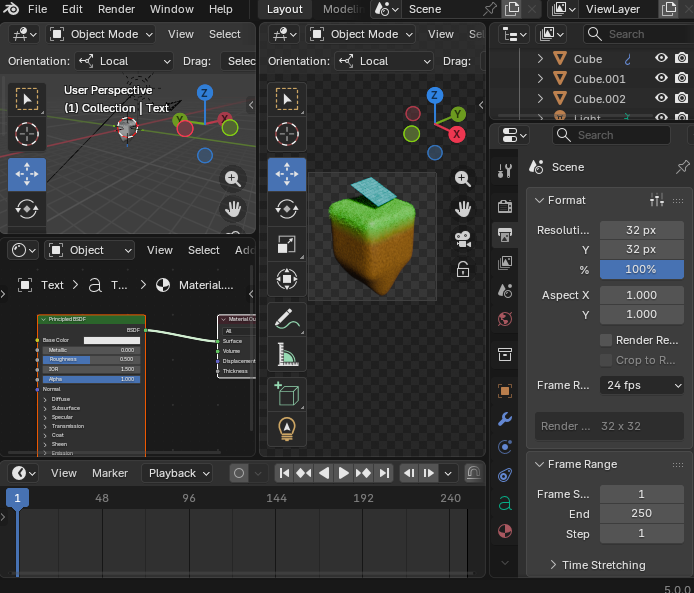
The first thing i started with is the home page. going down the list i started with the header. one requirement was a company logo. now i could take the easy route and get copilot to generate an image for me... but i am very familiar with Blender, so I decided to make the logo myself
One of the requirements of assignment 2 is using CMS through Wordpress. The easiest way would be to add a link up the top that links to the wordpress site, but I think that by this point, we know that the easy way isn't the fun way, so I decided to put the wordpress site (the blog) on the home page in what we call an "iframe" (think of it as a website in a website)
The hard part about this implementation was testing it. Anytime I tried to access the blog itself in the browser worked fine, but threw an SSL_BAD_CERT_ERROR when uusing an iframe. How I assume this is occuring is that Cpanel forbids any iframes from accessing the site if the iframe isn't from a website that Cpanel itself is hosting.
After uploading the new index.html, my suspicions were confirmed. Access to the website by iframes are denied if the link is not local. So, I changed it to a local address and uploaded it to the website, giving you what you see right now on index.html.
And so, the final week arrives...
This week consisted of final touches. the contact form, the Ts and Cs, the wordpress, etc. The contact form's JS is just a rewrite of week 4's lesson content, but with some improvements. Mainly how instead of using a for loop to slowly iterate through every single character and checking if its an @, I just used .includes('@'), which returns a boolean of if the text contains the @ symbol or not. Both do the exact same thing but mine just looks cleaner.
However, for me the page kept refreshing. I soon learnt that this was because of the form tag, but despite using event.preventDefault();, it kept refreshing, so I had to ditch the form in favour of a div.
And that's all I have left to write. Hope i get an HD...
Also, W3C Validator says that the terms and conditions page is, pardon my language, absolutely FUCKED. I dare not even touch it as most of the content that termly gave me for it is above my knowledge level.